
A functional home office does not require an expensive overhaul, but a handful of well-chosen essentials make a noticeable difference in comfort and focus. Here is what is generally worth considering, and why, without claiming to have tested specific products ourselves.
A Chair That Actually Supports You
Seating matters more than almost anything else in a home office, since it is used for hours at a time. Look for adjustable seat height, lumbar support, and armrests positioned so shoulders can stay relaxed rather than raised.
A Desk Sized to the Space and the Work
A desk that is too small crowds a monitor and keyboard together, while one that is too large can dominate a small room. Measuring the available space and the equipment that needs to fit on it, rather than buying based on style alone, avoids both problems.
Lighting That Reduces Eye Strain
A desk lamp with adjustable brightness, positioned to avoid glare on a screen, reduces eye strain during long work sessions far more effectively than relying on a single overhead fixture.
Cable Management
A simple cable tray or a few adhesive clips keep cords from tangling underfoot or across a desk surface. This is a small, inexpensive category that has an outsized effect on how tidy a workspace feels day to day.
Storage Within Reach

A small set of drawers or a desktop organizer keeps frequently used items close without cluttering the desk surface itself. Prioritizing closed storage over open trays tends to keep a small office looking calmer.
A Monitor Stand or Arm, If Needed
Raising a monitor to eye level reduces neck strain considerably. A simple stand is often enough; an adjustable arm is worth considering if desk space is limited or multiple monitors are involved.
Questions Worth Asking Before You Buy
- Will this item be used daily, or is it solving a problem you do not actually have?
- Does the chair or desk fit your actual height and the space available, not just an average?
- Can it be returned or adjusted if it does not work out in practice?
Ergonomic Setup Basics
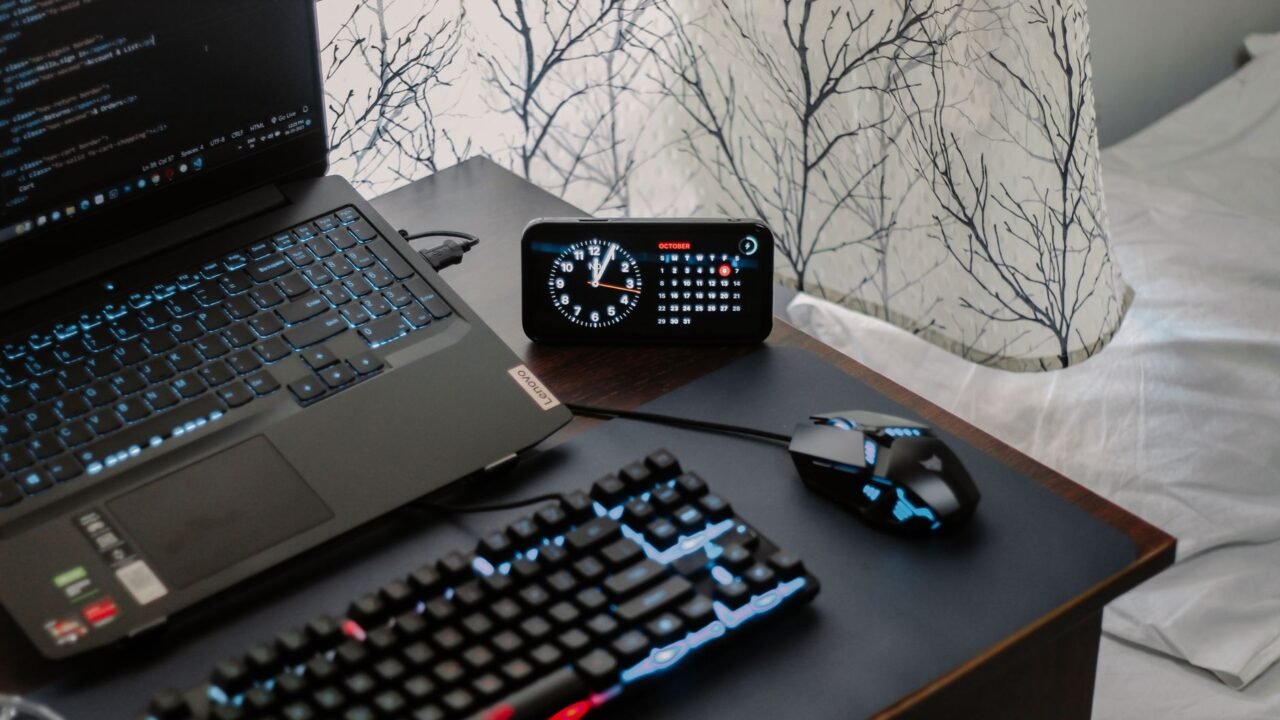
A monitor positioned so its top edge sits roughly at or slightly below eye level, at a distance of about an arm’s length away, generally reduces neck strain compared to a laptop screen used at a lower, closer position without any additional stand. For anyone using a laptop as a primary screen for extended periods, pairing it with an external keyboard and mouse alongside a laptop stand allows the screen to be raised to an appropriate height without forcing an awkward wrist position on a raised keyboard.
Keyboard and mouse placement should allow elbows to rest at roughly a ninety-degree angle with wrists in a neutral, unbent position; a desk that is too high or a chair that sits too low relative to the desk are both common, easily corrected causes of wrist strain that has nothing to do with the keyboard or mouse itself.
Budget Tiers: What to Prioritize First

For anyone building a home office gradually, seating and lighting, both covered in the main list, deliver the most day-to-day comfort improvement per dollar spent and are worth prioritizing before less critical categories. A desk sized appropriately for the available space and equipment comes next, since an awkwardly sized desk undermines even good seating and lighting choices. Cable management, storage, and a monitor arm are reasonable to add later, once the core comfort and functional elements are already in place.
Setting Up a Home Office in a Small Space
A small space or shared-purpose room, a corner of a bedroom or living room, benefits from furniture that can visually or physically close off during non-work hours, a desk with a hutch that can be tidied and closed, or a rolling cart that stores supplies and can be tucked away, to prevent a home office setup from dominating a room used for other purposes throughout the rest of the day. Wall-mounted, fold-down desks are also worth considering in genuinely tight spaces, since they can be folded flat against the wall when not in use.
Adjusting a Home Office for Shared Use
A home office used by more than one household member at different times of day benefits from a chair with a wide adjustment range and a desk height that works reasonably well for different body sizes, rather than a setup fine-tuned perfectly for just one person. Keeping a simple system for personal items, a rolling drawer cart or a labeled tray for each person, prevents the friction of shared supplies getting mixed up or misplaced between users.
Reassessing the Setup Over Time
A home office setup that works well initially may need adjustment as work habits change, more video calls requiring better lighting and camera positioning, a shift to more paperwork requiring additional desk surface or filing storage. Revisiting the setup every six months or so, with the same questions used when first buying, whether each item is actually used daily and whether it still fits the current way the space is being used, keeps a home office matched to real, current needs rather than the assumptions made when it was first set up.
Prioritizing Items Based on How the Space Gets Used

A well-equipped home office does not necessarily mean owning the most items, it means owning the right items for how that particular person actually works, which varies more than generic gear lists usually acknowledge. Someone who spends most of the day on video calls benefits far more from good lighting and a stable webcam angle than from an elaborate desk setup, while someone doing detailed spreadsheet or design work benefits more from a larger monitor or a second screen than from any accessory aimed at video conferencing. Rather than buying every commonly recommended item at once, it makes sense to track which discomforts or frustrations come up during a normal work week first, whether that is eye strain, wrist discomfort, or a cluttered desk, and then shop specifically to solve that identified problem rather than guessing at needs in advance.
Ergonomics deserve more weight in the decision than aesthetics, even though aesthetics are usually what catches attention first while browsing. A chair that looks sleek but lacks proper lower back support can lead to real discomfort within a few hours of daily use, while a less stylish chair with correct lumbar support and adjustable height prevents problems that are far more costly to fix later, including missed work or a physical therapy bill. The same logic applies to monitor height, since a screen positioned too low forces the neck into a downward angle for hours at a time. Small adjustments like a monitor riser or a document holder cost very little compared to their impact on comfort during a full workday.
Planning for Growth Rather Than Just Current Needs
A home office setup built purely around current needs sometimes requires an unnecessary second round of purchases within a year or two, once work habits shift or the volume of work done from home increases. Choosing a desk with somewhat more surface area than currently feels necessary, or a shelving unit with room to expand, provides some buffer against the common pattern of a home office gradually accumulating more equipment and paperwork than initially planned for. This does not mean overbuying immediately, but it is worth considering realistic near-term growth, an additional monitor, more reference material, a printer added later, when making initial purchasing decisions rather than optimizing purely for the exact current setup.
Cable management is another area that becomes considerably more important as a home office setup grows, and addressing it early prevents a tangled, frustrating mess later. A simple cable tray mounted under a desk, along with basic velcro ties to bundle cords together, takes only a few minutes to set up initially but saves considerable frustration once multiple devices, chargers, and peripherals are all sharing the same workspace. Setting this up as new equipment is added, rather than waiting until the cable situation becomes genuinely difficult to untangle, keeps a growing home office feeling organized rather than chaotic as the setup expands over time.
Deciding What to Buy New Versus Secondhand
Not every home office item needs to be purchased new, and knowing which categories are reasonable to buy secondhand versus which ones benefit from buying new helps stretch a budget further without sacrificing comfort where it matters. Desks, bookshelves, and filing cabinets hold up well secondhand and rarely show meaningful wear that affects function, making them reasonable candidates for a marketplace listing or a secondhand office furniture store. Chairs are a more complicated case, since the internal support mechanisms that provide ergonomic benefit can wear out invisibly, making a secondhand chair a gamble unless it comes from a trusted source with a known, limited amount of use.
Related Reading
- How to Create a Morning Routine That Actually Works at Home
- Small Daily Habits That Make a Home Feel More Comfortable
- How to Make a Rental Feel More Like Home
- Simple Ways to Make Your Home Feel More Welcoming to Guests
Frequently Asked Questions
Is a standing desk worth the investment? A standing desk, or a desk converter that sits on top of an existing desk, can reduce the health concerns associated with prolonged sitting for some people, though the actual benefit varies by individual and by how consistently a standing option is actually used throughout the day.
How much should a basic home office setup cost? A functional setup covering a reasonable chair, a desk sized to the space, and basic task lighting can be assembled at a range of price points depending on quality tier chosen, with the most significant cost variation typically coming from the chair.
Should a home office chair match the rest of the room’s decor? Function should take priority over matching decor for a chair used for extended periods each day, though many ergonomic chairs are now available in a range of finishes and upholstery options that make this less of a tradeoff than it once was.
Comfort First, Everything Else Second
Of everything on this list, seating and lighting tend to matter most for daily comfort, while storage and cable management matter most for keeping the space usable over time. Prioritizing in that order tends to produce a more satisfying home office than buying every category at once. A well-set-up office also gets used more consistently alongside a solid daily structure; see our guide to creating a morning routine that actually works at home.